Before you start
- Use comma four. That is the official in-car target.
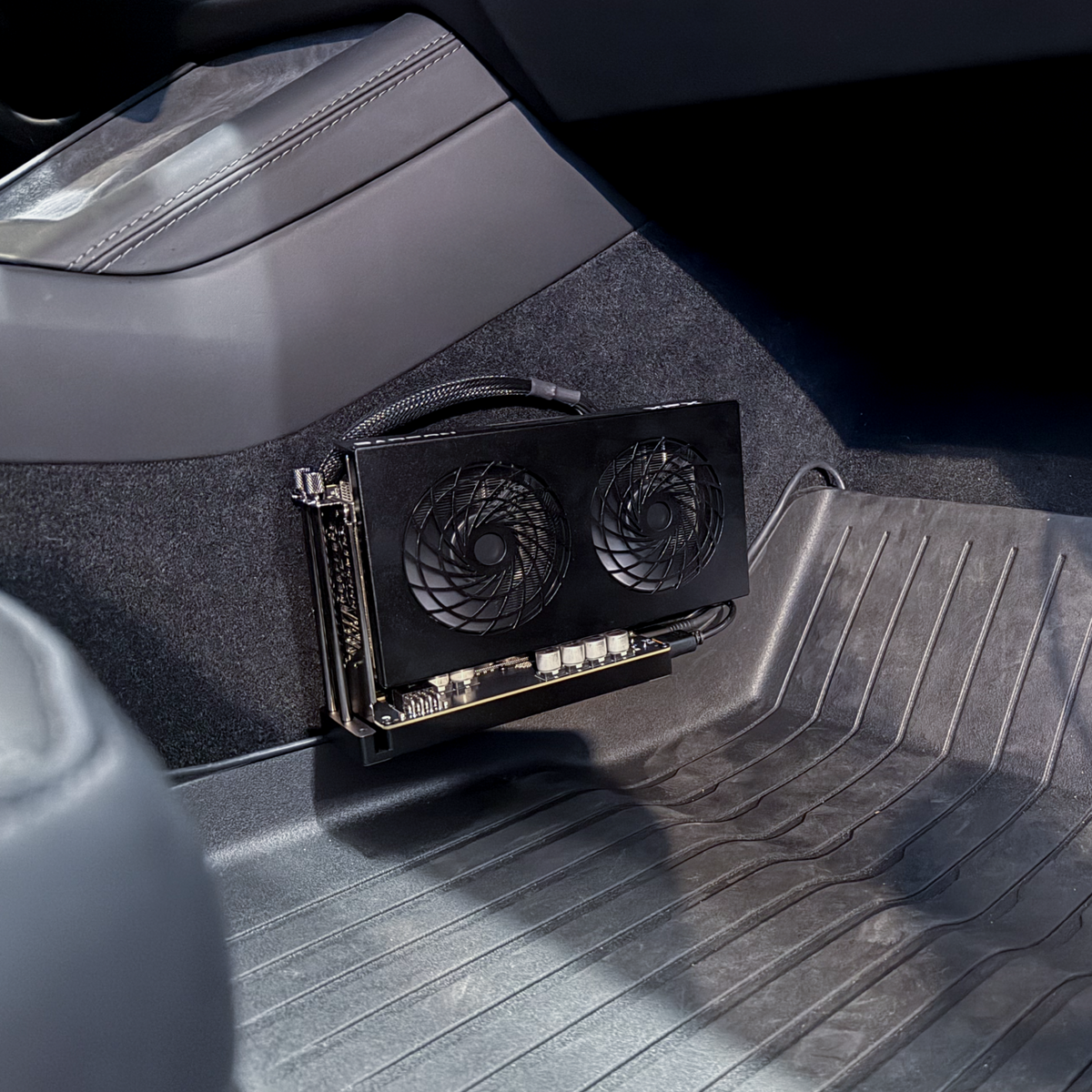
- Use the non-XT Radeon RX 9060 supplied with the kit.
- Keep the graphics-card fans clear.
Use the stable release on comma four. Install the hardware first. Then enter the checked URL while parked.
Stable software
Enter this on the Custom Software screen on comma four. Do not open it in a phone or computer browser.
installer.comma.ai/commaai/release-chestnutOfficial stable channel: release-chestnutPark first
Secure the RX 9060 in Chestnut. Mount the kit where its fans stay clear.
Connect the included vehicle power cable and the long USB cable to comma four.
If openpilot is installed, remove it from Settings. Return to the setup screen.
Choose Custom Software and enter installer.comma.ai/commaai/release-chestnut.
Let setup finish while parked. The release detects the Chestnut hardware.
The Chestnut release detects the hardware and loads its driving model. Updating through the supported software channel is how you receive its model changes; you do not choose a model by its parameter count. Keep supervising every drive.
The Chestnut icon is green when ready or working. Pulsing white means its model is loading. Orange means there is a problem. Read the accompanying notification if it turns orange.
Photos: comma.ai. CommaGuide is an independent guide and is not affiliated with comma.ai.
Was this guide helpful?