Start here
Is Starlink right for you?
Starlink is worth a look when the places you live or travel have poor internet options. Start with where you need it, how you will power it, and whether you can give the dish an open view of the sky.
By Commaguide · Sources checked · Independent guide
Check Residential offers for your service address.
Look at Roam and a portable setup such as Mini.
Check the sky, equipment, monthly bill and local eligibility.
What you actually set up
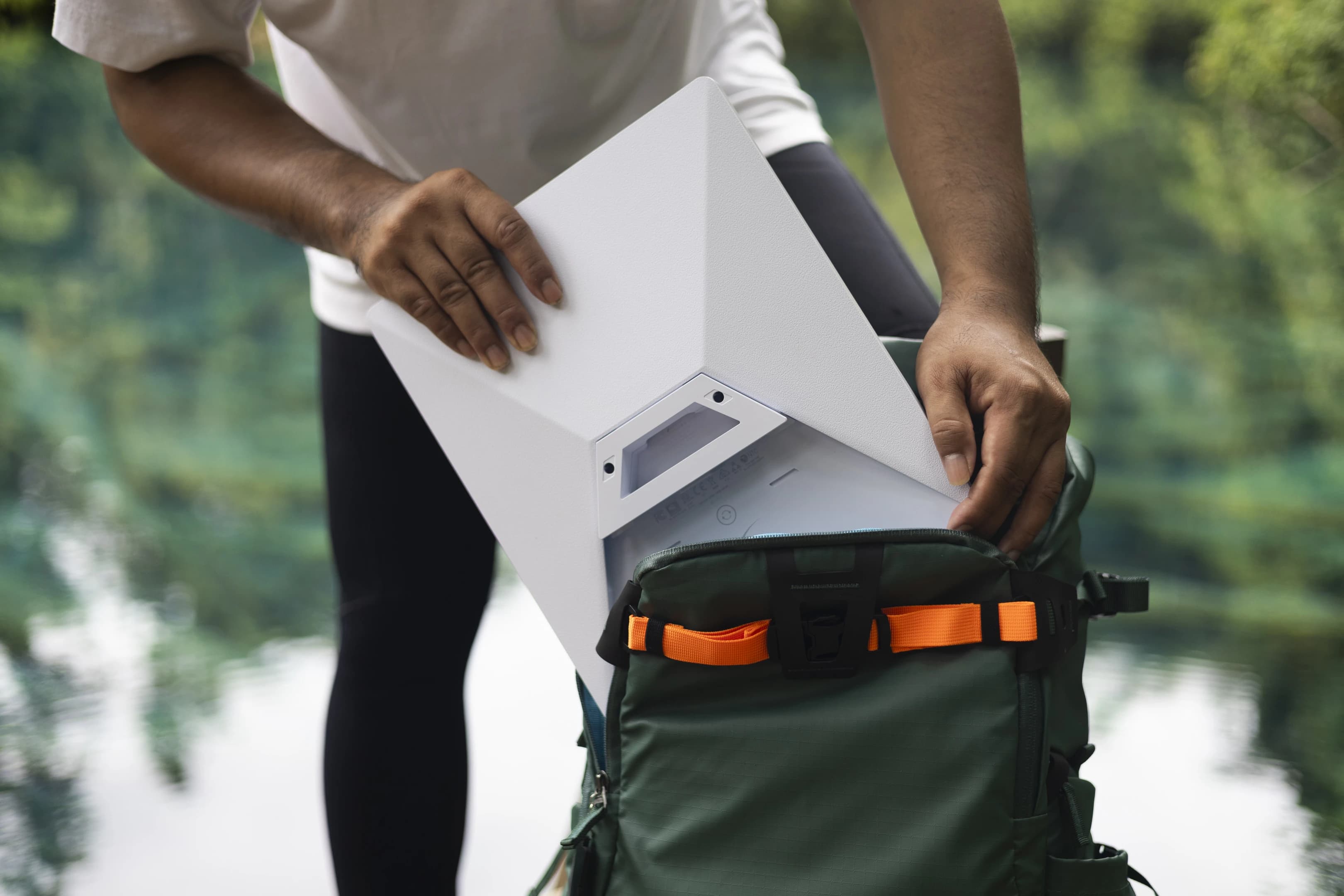
A Starlink terminal connects to satellites; your phone or laptop connects to its local network. Mini combines the terminal and Wi-Fi in one portable unit. It still needs a power source and an active service plan.
Starlink’s installation instructions call for an unobstructed sky view. Use the app’s obstruction tool at the actual installation position before choosing where the terminal will live. Trees, buildings and the roof of a vehicle can interrupt the view.
Mini specifications (PDF) ↗Mini Mobility Mount installation (PDF) ↗
Choose the job before the hardware
- Home: enter the service address and compare the available Residential plans with your existing connection.
- Camping and travel: check the Roam options, destinations and data allowance before picking the kit.
- Vehicle: plan the mount and power supply as part of the purchase. A portable terminal alone is not a complete vehicle installation.

Starlink US service plans ↗In-motion hardware, plans and regions ↗
A useful first shopping list
The kit
Choose the kit offered for your address and intended plan. Confirm what the current checkout includes.
A place to put it
Budget for the right mounting hardware and a clear cable route. Start with a parked ground setup if you are still testing locations.
Power
Check the supply and cable together. Mini’s USB-C accessory requires a 100W, 20V/5A USB PD source.
Service
Include the first paid month and ongoing plan cost. A referral service credit does not itself discount hardware or waive the first month.
Mini specifications (PDF) ↗Mini USB power requirements ↗How Starlink referral rewards work ↗
When we would buy—and when we would wait
Our take: the strongest reason to buy is a real connection problem in a place where you can provide open sky and power. Write down the activities that fail today: working from a campsite, uploading files from a rural home, or staying connected during a trip.
If your current wired internet or hotspot already handles those tasks reliably, compare the complete extra cost before ordering. For a backup connection, include the power needed during an outage; owning a dish alone does not keep your devices online.
Common questions
Is Starlink Mini a phone hotspot?
Mini provides Wi-Fi using its satellite connection. It is separate hardware with its own power and service requirements.
Can I just put the dish anywhere?
No. Start with the app’s sky-view check, then follow the installation instructions for your exact kit and mount.
Do I need Starlink to use a comma device?
These are separate products. This guide covers internet connectivity; check Commaguide’s comma setup guides for the requirements of your device and software.
Sources and how we checked this guide
We read the linked official documentation and, where named, mount manufacturers’ instructions. Recommendations and estimates are our analysis. We have not road-tested these setups. Prices, plans and terms can change; check your actual order. Mount-maker statements apply to their products and are not Starlink certification.
Mini specifications (PDF) ↗Mini Mobility Mount installation (PDF) ↗Starlink US service plans ↗In-motion hardware, plans and regions ↗Mini USB power requirements ↗How Starlink referral rewards work ↗